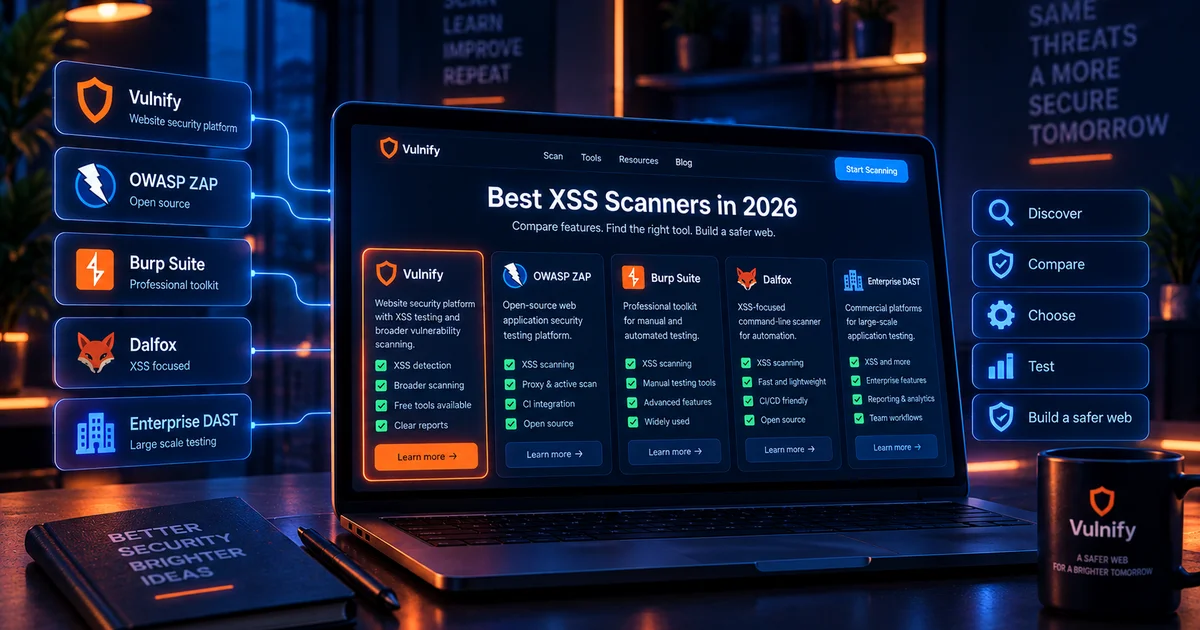
The best XSS scanner is not simply the tool that generates the most alerts. A useful scanner must discover realistic application inputs, understand enough browser and response context to prioritize meaningful results, provide evidence that a developer can reproduce, and fit the way you actually test websites. Some tools are ideal for quick public checks. Others are designed for authenticated testing, proxy-assisted manual work, command-line automation, or enterprise DAST programs.
This guide compares practical XSS testing approaches and explains where Vulnify, OWASP ZAP, Burp Suite, Dalfox, and broader commercial scanners can fit. The objective is not to declare a universal winner. The better goal is to match the tool to your scope, authorization, application complexity, team skill, and required testing depth.
Pricing and packaging change over time, so this comparison focuses on capabilities and workflow rather than quoting figures that may quickly become outdated.
What makes a good XSS scanner?
- Input discovery: Can it find parameters, forms, routes, and browser-driven inputs?
- Context awareness: Does it distinguish HTML, attribute, JavaScript, URL, and DOM contexts?
- Browser execution: Can it validate dynamic behavior rather than only inspect raw responses?
- Authentication: Can it test protected application areas when authorized?
- Evidence: Does the report show enough detail to reproduce the finding?
- Noise control: Can findings be validated or prioritized without overwhelming the team?
- Safety: Can testing be constrained to authorized, non-destructive workflows?
- Workflow fit: Does it suit one-off checks, recurring scanning, CI, or manual penetration testing?
Vulnify
Vulnify is a public-surface website security platform rather than an XSS-only tool. Its value is that XSS testing sits alongside checks for other exposed website weaknesses. The Website Vulnerability Scanner provides a focused free entry point for website vulnerability testing, while the Website Security Scanner supports broader assessment.
For teams investigating XSS specifically, the XSS Payload List provides controlled testing references organized by context. Vulnify is particularly useful when you want to move from a specific XSS question into a wider review of the same public website instead of treating XSS as an isolated issue.
Vulnify is a good fit when
- You want quick external assessment without building a local testing stack.
- You want XSS findings considered alongside wider public-surface risks.
- You need evidence and remediation guidance in a website-security workflow.
- You want focused free tools plus broader scanning options.
OWASP ZAP
OWASP ZAP is an open-source web application security testing platform with passive and active scanning, proxy-assisted testing, automation options, and a long-standing place in security education and CI workflows. It can test for XSS as part of a wider dynamic application security testing process.
ZAP is attractive for teams that want an open-source tool they can run themselves. Its proxy workflow also helps analysts inspect requests and responses while exploring the application manually. Like any automated scanner, it still benefits from manual validation for complex DOM behavior, authenticated workflows, and business logic.
ZAP is a good fit when
- You want an open-source local DAST platform.
- You need repeatable automation or CI integration.
- You want both passive observation and active testing.
- Your team is comfortable configuring scanning and authentication.
Burp Suite
Burp Suite is widely used for professional web application testing. Burp Proxy, Repeater, Scanner in the Professional edition, browser tooling, and extensions support both automated and manual investigation. For XSS, its strength is the ability to move from discovery into precise request manipulation and context-aware validation.
Burp works particularly well when a human tester is actively investigating an application rather than simply waiting for a scheduled report. The tradeoff is that the workflow requires more expertise and active analyst time than a simple public scanner.
Burp is a good fit when
- You are performing hands-on web application testing.
- You need to inspect and modify individual requests.
- You are validating complex authenticated workflows.
- You need to combine automation with manual reasoning.
Dalfox
Dalfox is an XSS-focused command-line tool used by security testers for parameter analysis and XSS discovery. Its narrower scope can be useful when the task is specifically cross-site scripting rather than a complete web assessment.
A specialist tool can provide depth in one vulnerability class, but teams still need a broader process for access control, SQL injection, exposed files, headers, TLS, server configuration, and other risks. This is why XSS-focused tooling is often paired with a general DAST or public-surface scanner.
Commercial DAST platforms
Commercial platforms such as Invicti and Acunetix provide broader web application scanning with XSS detection among many vulnerability classes. Enterprise platforms commonly emphasize authenticated scanning, large asset inventories, integrations, workflow management, and centralized reporting.
They can be appropriate for organizations with many applications and formal vulnerability-management programs. Smaller teams may find the cost and administration heavier than they need, particularly when they only manage a small number of public websites.
Compare the approaches by workflow
Quick public website check
  -> Vulnify focused tools or public scanner

Open-source DAST and automation
  -> OWASP ZAP

Manual professional web testing
  -> Burp Suite

XSS-focused command-line testing
  -> Dalfox

Large enterprise DAST program
  -> Commercial scanning platforms
These categories overlap. A penetration tester may use Burp, ZAP, Dalfox, browser developer tools, custom scripts, and external scanning in the same engagement. Mature security programs care more about coverage and validation than brand loyalty.
Hypothetical scenario: a web agency
A small agency manages 20 brochure, ecommerce, and CMS websites. It needs quick external checks after releases but does not have a full-time penetration tester. A public-surface scanner is a practical baseline because the agency can assess sites without maintaining a complex local testing stack.
When a specific XSS finding appears, a developer can reproduce it with a controlled payload and browser tools. If the site is complex or high risk, the agency can escalate to deeper manual testing rather than attempting to turn every routine release into a full penetration test.
Hypothetical scenario: an authenticated SaaS platform
A SaaS company has dashboards, multiple user roles, account administration, and complex workflows behind authentication. The company has an internal AppSec engineer and a CI pipeline. In that environment, a local DAST tool and proxy-assisted manual testing may be important because many high-value routes are not available anonymously.
The team might use ZAP for automated coverage in CI, Burp for manual investigation, and an external production scanner to validate public exposure. No single tool has to do everything.
How to evaluate an XSS scanner
1. Use a known safe lab
Before trusting production results, evaluate the scanner against an authorized test application containing known XSS cases and known safe reflections. Measure both detection and false-positive behavior.
2. Check evidence quality
A useful report should show the affected route, source or parameter, context, and enough information for a developer to reproduce the issue.
3. Test dynamic behavior
Modern sites render heavily in JavaScript. Evaluate whether the tool can interact with forms, client-side routes, and DOM updates relevant to your application.
4. Evaluate authentication
If most sensitive functionality is behind login, an anonymous-only scan may provide a misleading sense of coverage.
5. Measure operational cost
Include setup, maintenance, tuning, review time, false-positive handling, and reporting. A scanner that produces unusable noise can be expensive even if the license is cheap.
Use XSS scanners safely
Only scan systems you own or have explicit permission to test. Active scanning can submit forms, generate requests, trigger rate limits, or interact with application state. Configure scope carefully and use staging for aggressive tests when possible.
A professional workflow also protects test accounts and test data. If the scanner stores payloads in comments, support tickets, or profile fields, clean up those records when the assessment ends so later users are not surprised by leftover test content.
What XSS scanners commonly miss
- Complex multi-step workflows.
- Role-specific stored XSS.
- Blind XSS that triggers only in internal tools.
- Client-side states reachable only after unusual interactions.
- Business logic that transforms content across several services.
- Unsafe code paths visible only through source review.
- Framework-specific trust bypasses that require code context.
- Features disabled or hidden during automated crawling.
False-positive handling matters as much as raw detection
A scanner that reports every reflection as XSS creates work rather than reducing it. Look for evidence quality, browser validation, context information, and a workflow for marking findings as accepted, fixed, or not reproducible.
Teams should preserve the reason a finding was dismissed. That prevents repeated arguments when the same behavior appears in later scans and makes scanner tuning more accountable.
Where Vulnify fits
Vulnify is most useful when XSS testing is part of a broader website-security workflow. Start with the Website Vulnerability Scanner for a focused public check, use the XSS Payload List for authorized manual validation, and move to the broader Website Security Scanner when you need wider public-surface coverage.
For high-assurance applications, combine external scanning with authenticated testing, code review, manual validation, and retesting after remediation.
XSS scanner selection checklist
- Does it discover the inputs your application actually uses?
- Can it handle client-side rendering?
- Can it test authenticated areas when required?
- Does it provide reproducible evidence?
- Can you tune or validate noisy results?
- Can it fit your deployment or CI workflow?
- Does the reporting match the people who will remediate findings?
- Do you need an XSS specialist tool or a broader website assessment?
Frequently asked questions
Is there a free XSS scanner?
Yes. Open-source tools such as OWASP ZAP and focused public tools can support free testing. The right choice depends on whether you need local control, automation, authentication, or a quick public check.
Can a scanner prove a site is XSS-free?
No. A clean scan means the tool did not identify a supported issue under the tested conditions. It does not prove XSS is impossible.
Should I use more than one tool?
Often, yes. Different tools discover different inputs and provide different validation workflows. Combining automated scanning with manual review usually improves confidence.
Is browser-based testing important?
Yes. XSS ultimately depends on how the browser interprets data. Response-only analysis can miss DOM behavior or misclassify safe reflections.
Conclusion
The best XSS scanner depends on what you are trying to achieve. Vulnify suits practical external assessment, ZAP provides strong open-source DAST capabilities, Burp excels in hands-on professional testing, Dalfox focuses on XSS-specific workflows, and enterprise DAST platforms add scale and governance. Choose tools based on coverage, evidence, workflow, and validation rather than the length of the vulnerability list.