
A public homepage can look fine while the page behind login is serving an old header, an expired certificate on a subdomain the app uses, or a file that should not be on the internet. Public Website Watch never logs in. The logged-in seat does, once a week, and only if a health check against your saved profile succeeds first.
The public product, muting, and baselines are covered in website security monitoring without the alert noise. This article is the $79 seat: a weekly Deep scan that uses a login profile, plus the same daily public pulse every other watch uses.
Create the login profile first
The profile is not created on the watch form. Go to Settings, open the Security tab, and use the card titled Scan Authentication Profiles. Auth Type is one of four: Bearer Token, API Key Header, OAuth Client Credentials, or Form Login.
Form Login adds Login URL, Username Field Name (it starts as username), Password Field Name (it starts as password), Username, and Password. Config JSON is required for the other three types. For Form Login the label is Advanced Config JSON, and it is optional. The help text says to replace the sample values with your real credentials before saving. Bearer needs token. API key needs headerName and keyValue. OAuth needs tokenUrl, clientId, and clientSecret. Save with Save Auth Profile.
Run Health Check on that card before you buy a seat. A profile that cannot log in will not be saved onto a watch. There is no separate success-indicator field. Form Login can carry a body match inside the optional JSON, but you do not have to fill that in to save the profile.
Add the seat
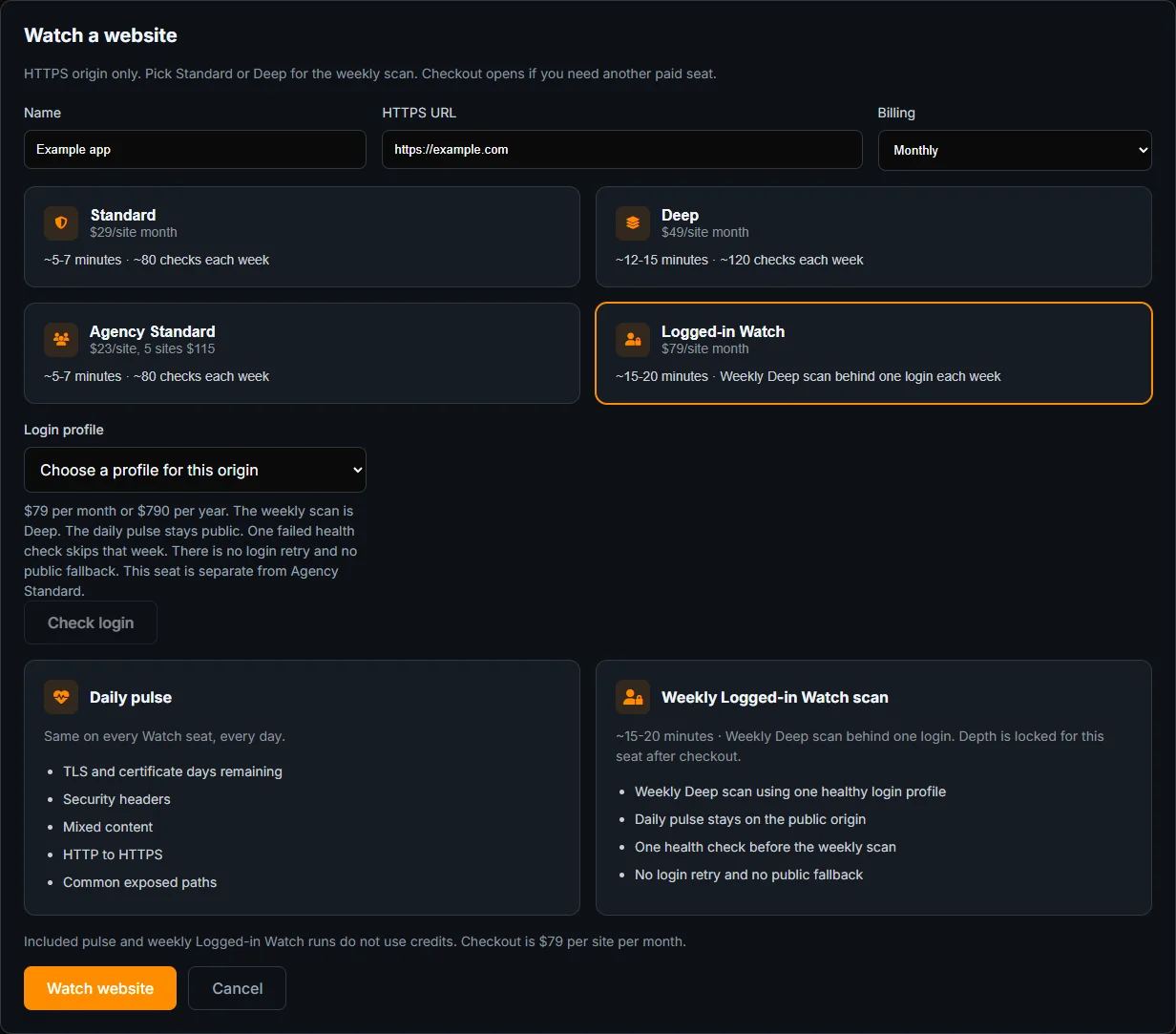
On Website Watch, choose the logged-in option. The price is $79 a month, or $790 a year, per site. Enter the site URL and pick the profile whose origin host matches that site. If it does not, the form says: “The login profile origin does not match this website.”
A passing health check says “Login check passed.” A failure says “Login health check failed. This seat was not saved.” There is no retry loop and no fallback to a public scan. Fix the profile or the login page, then try again.
The weekly scan on this seat is Deep. The daily pulse stays public: TLS, headers, mixed content, HTTP to HTTPS, and exposed paths. It does not run the active scanner. Included watch runs do not spend scan credits.
Match the host, then trust the health check
The profile’s origin and the site URL have to be the same host. A profile saved against a staging host will not attach to production. The form does not quietly rewrite it. It shows “The login profile origin does not match this website.” Create a second profile for the production origin, or point the seat at the host the profile already uses.
Health Check on the settings card and the check at save time are the same idea: can this profile log in right now? “Login check passed” is the only reason to enter a card number. “Login health check failed. This seat was not saved.” means you still have no seat. Fix the username, the field names, or the login URL. Field names that still say username and password fail on forms that use email and pass. Change the field names to the names in the form’s HTML, save, and run Health Check again.
The weekly Deep scan is the one that uses the session. The daily pulse never does. A certificate change on the public homepage can alert from the pulse. A broken admin header will wait for the weekly Deep run, and only if that week’s health check passed. One failure skips that week. You are not charged scan credits either way. The seat price is the subscription, $79 a month or $790 a year.
When the password breaks
One failed health check skips that week. You do not get a public scan in its place, and you do not get a second login attempt. Update the profile in Settings, run Health Check there, and the next week can proceed. Pause keeps the seat and the bill. Cancel takes effect at the end of the period.
This seat is not included in Agency Standard. Agency pricing is the public weekly watch, locked to Standard or Deep when you add the site. A one-time scan of pages behind login, including a second role, is how to scan website pages that require a login. That scan spends credits. This watch does not.
Frequently Asked Questions
Does the daily check log in?
No. The daily pulse stays public. The weekly scan is Deep and uses the login profile, after a health check passes.
What happens if the password breaks?
The health check fails, the message says the seat was not saved or, on a later week, that week is skipped. There is no login retry and no public fallback.
Is this included in Agency Standard?
No. Agency Standard is the public weekly watch. The logged-in seat is $79 a month or $790 a year and is chosen separately.