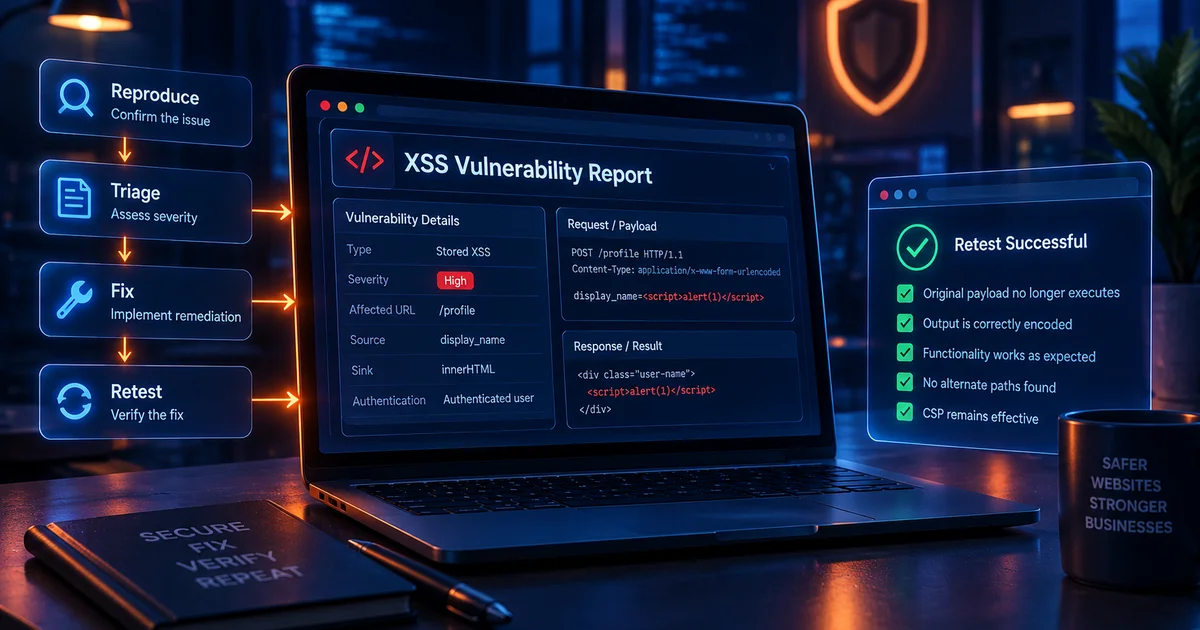
Blind XSS is a form of stored cross-site scripting where attacker-controlled content is saved in one part of an application but executes later in a different interface, often one the attacker cannot see directly. Examples include support dashboards, moderation queues, CRM systems, log viewers, fraud-review tools, and internal administration panels.
The "blind" part refers to the attacker's lack of visibility into the eventual execution point. A public form may appear harmless because the submitted value is never displayed back to the user. Behind the scenes, an administrator may open a dashboard that renders the stored value through an unsafe HTML sink.
Blind XSS matters because it often crosses privilege boundaries. A low-privilege or anonymous attacker can sometimes submit data that later executes inside a staff member's authenticated browser. That can create substantially more risk than an XSS issue that affects only the submitting user.
How blind XSS works
Blind XSS usually requires three conditions: attacker-controlled content is persisted, a different user later views that content, and the viewing interface renders the value unsafely.
Public support form
    ->
Database stores message
    ->
Internal support dashboard loads ticket
    ->
Unsafe raw HTML rendering
    ->
Script executes in support agent browser
Because the attacker may never see the internal dashboard, ordinary reflected-XSS testing can miss the issue. The public page that collects the input can be perfectly safe while the internal consumer is vulnerable.
Common blind XSS locations
- Customer-support tickets and contact forms.
- Administrative moderation queues.
- User profile fields viewed by staff.
- Order notes and ecommerce back-office systems.
- CRM lead records.
- Security event dashboards and log viewers.
- Feedback forms and survey responses.
- Bug-report systems.
- Imported CSV data displayed in internal tools.
- Email preview or template-management interfaces.
Why blind XSS can be serious
Blind XSS can cross from a low-trust source into a high-trust browser session. The impact depends on what the victim can do and what data is available to the page. An administrator may have access to customer records, account controls, billing details, moderation actions, or configuration interfaces.
Modern applications often protect session cookies with HttpOnly, which is valuable. However, XSS can still act through the victim's authenticated browser, read page content available to JavaScript, interact with application APIs available to the session, or modify user-interface state.
Severity should therefore be based on the real victim role and reachable actions, not only on whether a cookie can be read.
How to test blind XSS safely
Blind XSS testing must be tightly controlled because callbacks and cross-user workflows can create privacy and authorization concerns. Only test systems you own or have explicit permission to assess. Staging environments and dedicated test accounts are strongly preferable.
Step 1: Identify storage points
Map public and low-privilege inputs likely to be viewed later by staff: support messages, names, company fields, ticket subjects, comments, notes, uploaded metadata, webhook values, and imported records.
Step 2: Trace the consumer
Ask where each value appears after submission. A mature review follows the data into staff-facing interfaces, exports, email previews, dashboards, and reporting tools rather than stopping at the public form.
Step 3: Use harmless markers first
Submit a unique marker and confirm that it reaches the internal interface. This proves the storage and rendering path before any active execution test.
Step 4: Use controlled proof only when authorized
If execution validation is within scope, use an internal, non-sensitive proof. Do not collect cookies, credentials, or unrelated user data. The goal is to demonstrate script execution in the staff context and stop.
Step 5: Document the privilege boundary
Record who submits the content and who views it. A public user triggering script in an administrator interface is materially different from self-XSS that affects only the submitting user.
Hypothetical scenario: support desk
A SaaS company has a public contact form. Messages are stored in a ticket database and displayed in an internal support dashboard. The public confirmation page safely escapes the message, so ordinary reflection testing finds nothing.
The dashboard, however, uses a rich-text component that receives the stored message as raw HTML. A malicious value submitted through the public form executes only when a support agent opens the ticket. The vulnerability is stored, cross-context, and blind from the attacker's point of view.
The correct remediation is to treat support submissions as untrusted in every consumer. The internal dashboard should use text rendering by default or sanitize approved rich text before display. The public form's safe output is not enough because the vulnerable sink exists elsewhere.
Blind XSS in logs and security dashboards
Security and operations dashboards deserve special attention because they aggregate attacker-controlled values such as URLs, user agents, usernames, hostnames, request parameters, and error messages. If a log viewer renders these values as HTML, the act of investigating malicious traffic can expose an analyst to script execution.
Log data should generally be rendered as text. Rich formatting is rarely worth accepting executable HTML risk in an operational console.
Blind XSS in CRM and sales systems
Lead-generation forms often collect names, job titles, company names, websites, and free-text notes. Those values may flow into a CRM where sales staff have broad access to customer data and integrations.
A public input field that looks low risk can therefore become a high-value target if the CRM integration or custom dashboard renders it unsafely. Review both the original application and the systems receiving the data.
Blind XSS through imports and integrations
Stored content does not have to come directly from a browser form. CSV imports, APIs, webhook payloads, email parsers, and third-party integrations can carry attacker-controlled strings into internal systems.
Security reviews should classify trust based on the real source, not the transport. A value delivered by an API is not automatically safe simply because the API is internal.
Blind XSS remediation
- Treat stored data as untrusted every time it is rendered.
- Use context-aware output encoding in administrative interfaces.
- Prefer text rendering over raw HTML.
- Sanitize approved rich text with a narrow allowlist.
- Review shared components used across public and internal interfaces.
- Protect privileged admin sessions with least privilege and strong authentication.
- Use CSP to reduce execution options as defense in depth.
- Add regression tests for the internal rendering path.
Do not forget historical stored data
Fixing the renderer protects future views, but stored malicious markup can remain in the database. If other systems consume the same field, those historical records can continue to create risk.
After remediation, identify whether existing records need cleanup, normalization, or reprocessing. The answer depends on whether sanitization occurs on input, output, or both. Avoid destructive bulk cleanup without understanding what legitimate formatting users expect.
How Vulnify fits into blind XSS assessment
Public-surface scanning can help identify exposed XSS behavior, but blind XSS often depends on a workflow that crosses into authenticated internal interfaces. Vulnify's XSS Payload List can support authorized test design, while the Website Vulnerability Scanner and Website Security Scanner provide broader public assessment.
For blind XSS, supplement external scanning with workflow review, staff-interface testing, code review, and controlled validation in a staging or authorized environment.
How to retest a blind XSS fix
Repeat the original submission path with a fresh test record and then view the record through the same internal role that originally triggered execution. Inspect the rendered DOM rather than simply observing whether an alert appears.
Then test sibling consumers. The same ticket subject might appear in a dashboard list, detail page, email notification, export preview, search result, and analytics widget. The vulnerability is fixed only when every relevant unsafe consumer has been addressed.
Blind XSS triage checklist
- Is the input attacker-controlled?
- Is it stored?
- Who later views it?
- Does it cross from low privilege to high privilege?
- Where is it rendered?
- Is raw HTML actually required?
- Can execution occur under the current CSP?
- What actions can the victim role perform?
- Is the value consumed by more than one internal system?
- Has the fix been tested in every consumer?
Frequently asked questions
Is blind XSS the same as stored XSS?
Blind XSS is usually a stored-XSS pattern where the attacker cannot directly see the page that later executes the stored content.
Can blind XSS affect administrators?
Yes. Administrative dashboards are a common high-impact context because lower-privilege users may submit data that staff later review.
Can a public scanner find blind XSS?
Sometimes, but coverage is difficult because the execution may occur in a separate authenticated workflow. Manual and workflow-aware testing are often required.
Does sanitizing the public form fix blind XSS?
Not necessarily. The key defense is safe rendering at every consumer. Stored data can be transformed, imported, or reused in ways the original form does not control.
Conclusion
Blind XSS demonstrates why secure output handling must follow the data, not just the public page where it was collected. A value that looks harmless at submission can become dangerous when a support tool, CRM, moderation panel, or log viewer later renders it unsafely. Map storage flows, review every consumer, keep internal dashboards on safe rendering defaults, and retest the entire path after remediation.