
Search engines and uptime monitors read two files before they read your pages: /robots.txt and /sitemap.xml. One can hide the whole site. The other can hand crawlers a list of HTTP URLs after you have already moved to HTTPS. The Robots and Sitemap Checker fetches those files and says what it found. It does not submit the site to a search console, and it does not rank anything.
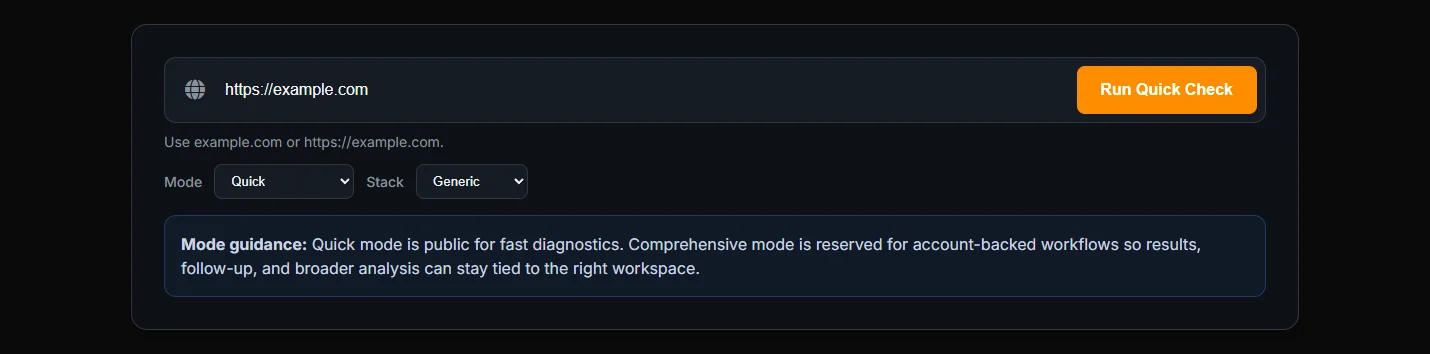
Run the check
Enter the site origin, such as https://example.com, not a deep article path. Mode Quick is enough for the first look and does not need an account. Stack is there if you want remediation phrased for Nginx, Apache, Cloudflare, Express, Joomla, Next.js, or WordPress. Generic is fine when you only want the file findings.
Both modes request /robots.txt and /sitemap.xml and parse them. You get a grade, findings, and remediation with a priority and an action.
Missing files, a block-all rule, and a bad sitemap
The findings you can see include a missing robots file, a robots file that was found, a missing sitemap, and a sitemap that was found. Invalid XML, an empty sitemap, HTTP URLs inside the sitemap, and a robots file with no Sitemap: line are separate findings.
Disallow: / is reported as low. It is not labeled a vulnerability. It tells well-behaved crawlers to stay out of the whole host. That is sometimes what a staging site wants, and it is a mistake on a site you hope people will find. Read it as a crawler instruction, then decide if you meant it.
The grade is A only when both files return HTTP 200, the sitemap looks like XML, and there is no broad Disallow: /. HTTP URLs inside the sitemap do not, by themselves, change that grade. They are still a finding. If those HTTP URLs are the real problem, take them to the Mixed Content Checker on the pages they point at. A sitemap listing http:// is not the same defect as an HTTPS page embedding an HTTP script.
Comprehensive mode
While you are logged out, Comprehensive is marked sign-in required. After you sign in, Comprehensive also requests /sitemap_index.xml, /sitemap-index.xml, and /wp-sitemap.xml. Quick does not. If the site is WordPress, or you publish a sitemap index, sign in and run Comprehensive before you conclude the sitemap is missing.
Retest after you change the files. The checker reads what the origin serves now. A file that exists only on your laptop is invisible to it.
A staging site and a site that just moved to HTTPS
Staging often has Disallow: / on purpose. Run the checker, see the low finding, and leave the file alone if that host should stay out of search. Do not copy that robots file to production when you promote the release. Production should be checked on its own origin. The grade on staging is not the grade on the public host.
A move from HTTP to HTTPS leaves a second mess. The sitemap still lists http:// URLs, the files return 200, the XML parses, and there is no Disallow: /. The grade can still be A. The HTTP-URL finding is still there, and it does not move the grade by itself. Update the sitemap to the HTTPS URLs, add a Sitemap: line in robots if it is missing, and run the check again. Then, if those old HTTP URLs are pages you still serve, point the Mixed Content Checker at one of them. A sitemap full of HTTP addresses is not the same defect as a lock icon broken by an HTTP script.
WordPress is the case for Comprehensive. Core serves /wp-sitemap.xml. Quick never requests it. A Quick result that says the sitemap is missing can be wrong on a current WordPress site. Sign in, run Comprehensive, and read the result again before you add a plugin to invent a second sitemap.
Fix notes for conflicts between the two files are on the robots and sitemap fix page. There is no separate ranking article to send you to. This check is about the files the origin serves today.
Frequently Asked Questions
Is Disallow: / a vulnerability?
No. The checker reports it as low. It is a crawler instruction that blocks the whole host. On a public site that is usually a mistake. On a staging host it may be intentional.
Does Quick see wp-sitemap.xml?
No. Quick reads /robots.txt and /sitemap.xml. Comprehensive, after sign-in, also requests the common sitemap index paths and /wp-sitemap.xml.
Does a grade below A mean the site is unsafe?
No. The grade is about those files: both present, the sitemap looking like XML, and no broad Disallow. It is not a vulnerability score for the application.