
A scan you remember to run is a scan that waits until after the release. A schedule runs the depth you picked, on the days you picked, and spends credits each time. That includes Comprehensive. It is not Website Watch. Watch is a daily public pulse plus a weekly Standard or Deep scan, locked when you add the site, and those runs do not use credits.
Free accounts cannot create a schedule. Pro includes up to 3. Team includes up to 10. Enterprise is unlimited. The page shows the plan and how many schedules you have used.
Create the schedule
Open Scheduled Scans and choose Create Schedule. Target URL is required. The placeholder is https://example.com. Scan Policy starts at “No reusable policy.” Scan Depth is Quick (9 credits), Standard (18 credits), Deep (36 credits), or Comprehensive (72 credits). If you select a policy, depth is disabled and the help says “Inherited from selected policy.”
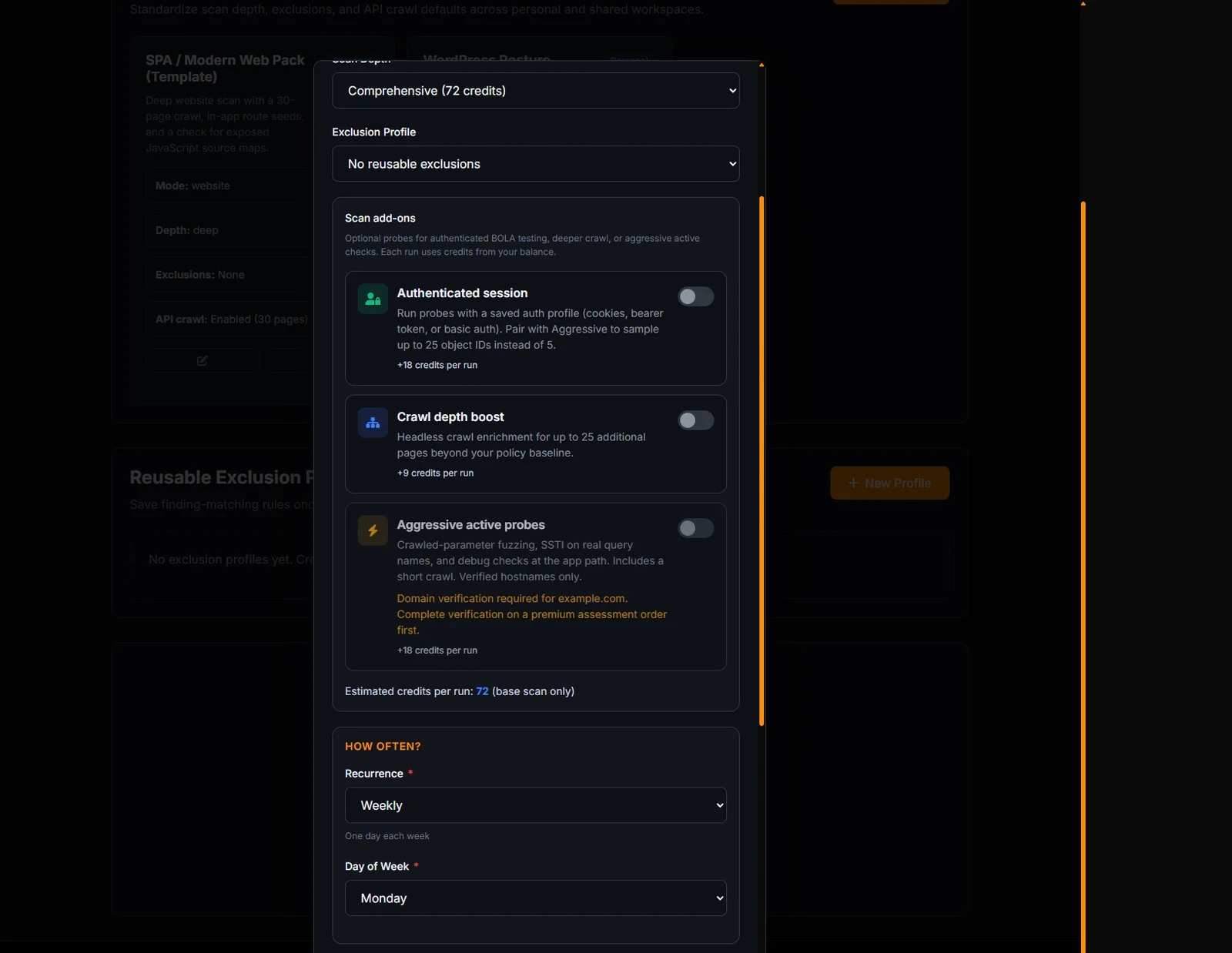
Exclusion Profile starts at “No reusable exclusions.” Under Scan add-ons you can attach an authenticated session if a profile already exists. If none exists, the help says “Create an auth profile in Account Settings before enabling authenticated session scans.” Saving that profile is covered in how to scan website pages that require a login.
Recurrence and when it stops
Recurrence is Daily, Weekdays (Mon-Fri), Weekly, Monthly, or Once. Weekly shows Day of Week, Sunday through Saturday. Monthly shows Day of Month, with help text “1-31 (will adjust for months with fewer days).”
End condition is Keep running, After a number of runs, For a period, or Until a date. The run-count presets are 2, 5, 10, and 20. The period presets are 1 week, 1 month, and 3 months. Keep running means the schedule continues until you pause or delete it, and every run still spends credits.
The submit button reads Create Schedule. While it saves, the label is Saving... Editing an existing schedule changes the button to Update Schedule. Cancel closes the form without saving.
A Monday Comprehensive, and a weekday Quick
A weekly Comprehensive on Monday is a valid schedule. Day of Week is Monday. Depth is Comprehensive (72 credits). End condition Keep running means it continues until you pause or delete it. Four Mondays is 288 credits before add-ons. Pro’s pool is 100 credits a month, with rollover capped at 200. That schedule does not fit Pro unless you buy a credit pack or you change the depth. The form shows the estimate. Read it. Team’s pool is 250 credits a month, rollover capped at 500, and Team can hold 10 schedules. The limit is the number of schedules, not a shared discount on Comprehensive.
A weekday Quick is the other shape. Recurrence Weekdays (Mon-Fri), depth Quick (9 credits). That is 45 credits in a five-day week, which fits a Pro pool if it is the only scan you run. It will not include the checks that only Comprehensive runs. Pick the depth for the question you have. Do not pick Comprehensive because it sounds thorough and then be surprised by the credit line.
Once is for a release window. Set the day, set After a number of runs to 2 if you want the release scan and one retest, and delete it when the history looks right. Monthly uses a day of the month. The help text says 1-31 and that shorter months adjust. A schedule on the 31st does not fail in February. It runs on the last valid day.
Authenticated session on a schedule uses a profile you already saved. The add-on credits apply to each run, not once at creation. Pause when a release would make the login fail. A paused schedule does not run and does not spend that run’s credits. Resume when the profile’s Health Check passes.
After it exists
Each saved row has Edit, View History, Run Now, Pause or Resume, and Delete. Delete asks “Are you sure you want to delete this scheduled scan?” Pause stops new runs and does not refund credits already spent. Run Now spends the same credits as a scheduled run of that depth.
A Comprehensive schedule is 72 credits every time it runs, before add-ons. Three of those a week will empty a Pro credit pool (100 credits a month, with rollover capped at 200) faster than a Weekly Quick. Read the estimate on the form before you save. Credit packs exist if the pool is the constraint. The schedule itself does not discount the depth.
Website Watch is the right product when you want the daily pulse and a locked weekly Standard or Deep without spending credits. The article is website security monitoring. Use a schedule when the depth has to be Comprehensive, or when the calendar has to be weekdays, a single day of the month, or a one-time run.
How a single scan works, including what the report contains, is how to scan a website for vulnerabilities. A schedule uses that same scan. It does not add a different set of checks.