
SPF and DMARC are text records. A typo in either one can send your mail to spam, or tell the world to reject it, before you have read a single report. Vulnify’s SPF Builder and DMARC Builder draft that text in the browser. They do not publish DNS, and they do not start monitoring.
The longer explanation of what these records mean, and the mistakes that break mail, is in DNS email security: SPF, DKIM, and DMARC mistakes. This page is the draft you take to your DNS host.
Draft the SPF record
Open the SPF Builder and enter the domain that sends mail. Add the includes and addresses that actually send for you. The fields are includes, ip4, ip6, a checkbox for the domain’s A record, a checkbox for MX, and shortcuts for Google and Microsoft. The “all” qualifier defaults to ~all, labeled “~all (soft fail, recommended while testing).”
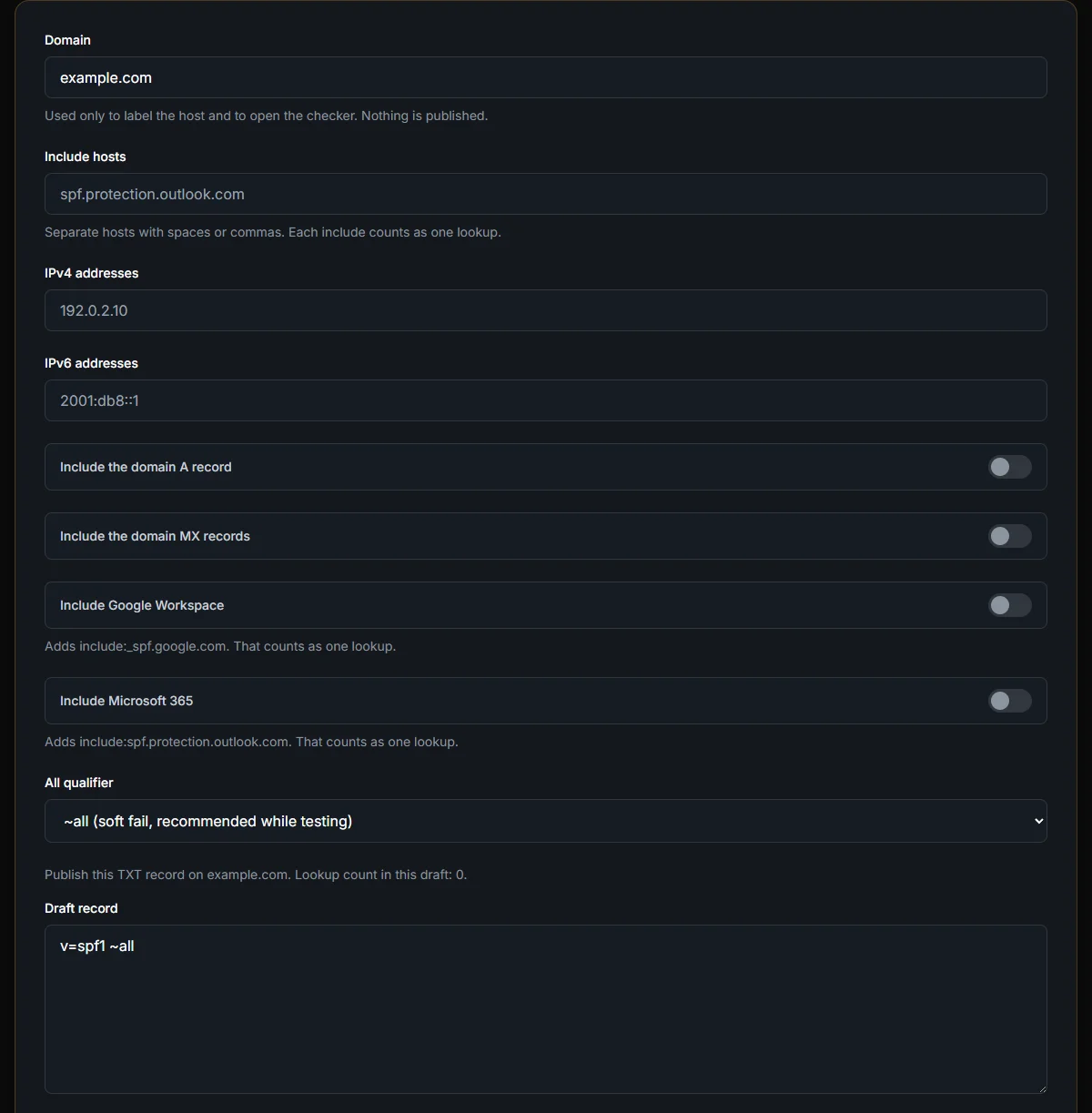
The placeholders look like real hosts and addresses, including a Microsoft include and documentation IPs. They are empty until you fill them. An untouched form drafts v=spf1 ~all. That record authorizes nobody. Publish it only if you mean “we do not send mail from this domain yet.”
Read the warnings before you copy
SPF allows 10 DNS lookups. The builder counts the lookups it can see. Nested includes inside a vendor’s record are not counted here. The total, including those nested lookups, still has to stay at or under 10. If you are close to 10, check the vendor’s record yourself before you publish.
+all is a warning because it authorizes the entire internet. -all is a hard fail; use it when you are sure the list is complete. ?all is a neutral result and rarely what you want. A record longer than 255 characters is an error, not a warning. Shorten it before you copy.
Draft the DMARC record
Open the DMARC Builder. Policy defaults to none. The aggregate report address, rua, is required. Forensic reports (ruf) are optional. Alignment for DKIM and SPF defaults to relaxed (r). The percentage defaults to 100. The host you publish on is _dmarc under the domain, and the builder shows that name.
The on-screen warning says to start at p=none and read reports before you move to quarantine or reject. p=none does not stop spoofed mail. It asks receivers to send you reports. Quarantine and reject are later, after the reports show that legitimate mail is aligned.
There is no DKIM builder on this page. DKIM needs a key pair generated where you send mail. Drafting SPF and DMARC does not create that key.
A domain that only uses Google, and a domain that also uses a billing tool
If Google is the only sender, use the Google shortcut, leave the includes field otherwise empty, and keep ~all while you test. Copy the draft. Do not also paste the placeholder Microsoft host. Placeholders are not selected values. An include you did not mean will spend one of your ten lookups and will fail when that host is not yours.
A billing tool is a second include, or an ip4, that you add only after you have the hostname the vendor documents. Each include counts as a lookup the builder can see. The vendor’s own record may include three more. The builder will not show those. If the on-screen count is already 7 or 8, stop and look up the vendor record before you add another. Going over 10 makes the SPF record fail for receivers, which looks like “we authorized nobody” even though you listed everyone.
-all is the right end state when the list is complete and you have watched mail for a while. It is a bad first publish. Mail from a server you forgot is rejected, not filed. +all is the opposite mistake: the warning is there because every host on the internet passes. ?all neither fails nor passes. Leave the default soft fail until the reports say the list is finished.
DMARC on the same domain starts at p=none with a real rua mailbox you will read. Alignment stays relaxed until you know your mail is signed and the envelope domain matches. pct at 100 with p=none is fine. It means “report on all of it,” not “reject all of it.” Move to quarantine only after those reports show legitimate mail aligned. Reject is later still.
Publish in DNS, then verify
Copy the draft into your DNS host as a TXT record. SPF goes on the domain itself. DMARC goes on _dmarc. Wait for the record to propagate, then check the live DNS with the Email Security Checker. The builder cannot tell you what the world sees until that lookup.
Daily watching of SPF, DKIM, DMARC, and blacklists is a different product. How to monitor SPF, DKIM, DMARC, and blacklists daily covers Mail Watch after the records exist. Do not start that seat with a draft that has not been published.
Frequently Asked Questions
Does the builder publish DNS?
No. It drafts text in the browser. You paste the record at your DNS host, then verify with a lookup.
Should the first DMARC policy be reject?
No. Start at p=none, collect aggregate reports, and move to quarantine or reject only after legitimate mail is aligned.
Does this create a DKIM key?
No. There is no DKIM builder here. Generate the DKIM key with the service that sends the mail.