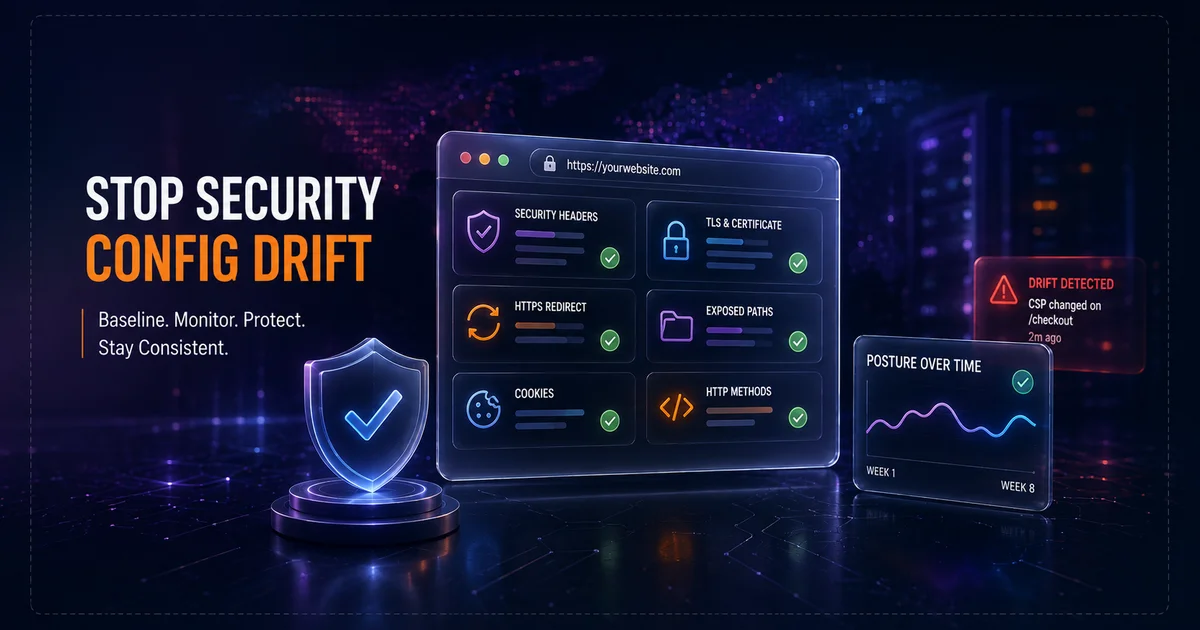
A website can pass a security review on launch day and still become weaker a few weeks later without anyone intentionally removing a control. A CDN rule changes. A reverse proxy is replaced. A plugin adds a route. A framework upgrade changes default headers. A certificate renewal lands on a different edge node. A deployment restores an old configuration file. None of these events necessarily looks like a security incident, but together they create one of the most common operational problems in web security: configuration drift.
Security configuration drift is the gap between the security state you intended to deploy and the state users actually receive later. It matters because public web applications are assembled from many layers. The application, web server, load balancer, CDN, DNS provider, certificate automation, CMS, third-party scripts, and deployment pipeline can all influence the final response. If one layer changes, the browser may see a different security posture even though the source code did not change.
The practical defense is not to freeze production forever. Modern websites need continuous change. The goal is to establish a known baseline, understand which controls are expected at the public edge, detect meaningful changes, and verify that releases and infrastructure work did not silently weaken those controls.
What security configuration drift looks like
Drift can be obvious, such as a certificate expiring after renewal automation fails. More often it is subtle. A security header disappears on one route. A redirect chain gains an HTTP hop. A previously blocked administrative path becomes reachable. A cookie loses its Secure attribute after an authentication change. A server starts answering to a method the application did not previously use.
Common examples include:
- A Content-Security-Policy is present on the homepage but missing from a new checkout template.
- HSTS is removed when TLS termination moves from the application server to a CDN.
- A deployment artifact exposes
/.git/, a backup archive, or a debug endpoint. - A redirect rule sends some requests through plaintext HTTP before returning to HTTPS.
- A reverse proxy upgrade begins adding, removing, or duplicating security headers.
- A new API route accepts PUT or DELETE even though similar routes do not.
- A certificate remains valid but the chain or protocol posture changes after a provider migration.
- A third-party integration adds scripts that require a broader CSP than the previous baseline.
OWASP's Web Security Testing Guide treats infrastructure and application-platform configuration as recurring security concerns because interconnected systems can introduce risk even when the application code itself is sound. Configuration review should therefore continue after launch rather than being treated as a one-time deployment task.
Why production websites drift
Multiple control planes
A modern response may pass through several systems before it reaches the visitor. DNS determines where traffic goes. A CDN or WAF terminates the public connection. A load balancer forwards the request. A reverse proxy routes it. The application generates a response. Middleware adds headers. The edge may then overwrite those headers before the browser sees them.
When controls are defined in more than one layer, ownership becomes unclear. The development team believes CSP is set in application middleware. The infrastructure team believes the CDN owns it. Both may be partly correct until one layer changes and overrides the other. The public result, not the configuration file, is what ultimately matters.
Deployment automation can restore old settings
Infrastructure as code and automated deployment reduce manual mistakes, but they can reproduce stale mistakes very efficiently. If an old template contains a weak header policy, a rollback can restore it across multiple nodes. If production configuration differs from staging, a successful deployment can still create security regressions that were never visible during testing.
Vendor and platform updates
CMS plugins, themes, framework versions, hosting platforms, and SaaS integrations change their defaults. A new release may add a route, alter cookie behavior, modify redirect handling, or introduce a new script origin. These changes can be legitimate while still altering the public security baseline.
Temporary security exceptions become permanent
During incidents and migrations, teams sometimes relax policies to keep a site working. CSP is broadened. HSTS is delayed. A troubleshooting path is opened. A firewall rule is temporarily relaxed. If nobody records an expiry or review date, an emergency exception can quietly become permanent configuration.
Build a public security baseline
You cannot detect drift reliably without knowing what normal looks like. A useful baseline records the public state after a known-good deployment. It should focus on controls that can be observed externally because those are the same controls browsers, customers, researchers, and attackers encounter.
At minimum, record:
- The primary HTTPS origin and important application hostnames.
- Certificate validity, hostname coverage, trust, and expiry window.
- Security headers including CSP, HSTS, framing controls, MIME protection, and Referrer-Policy.
- HTTP to HTTPS and canonical redirect behavior.
- Mixed-content status on representative pages.
- Common exposed sensitive paths and administrative endpoints.
- Expected HTTP methods on representative routes.
- Major technology fingerprints and edge-provider signals.
- Known findings that are temporarily accepted, including their owner and review date.
Vulnify's Website Security Scanner can establish a broader public-surface baseline. Focused tools can then answer narrower questions. The Security Headers Analyzer reviews the response headers visitors receive, the SSL Checker reviews certificate and transport posture, and the Exposed Paths Checker looks for publicly reachable sensitive locations.
Test the final response, not only the source configuration
A common mistake is verifying security by reading the application repository or web-server file and assuming that is what the browser receives. The edge can change the result. A CDN may inject HSTS. A reverse proxy may remove duplicate headers. A platform may normalize redirects. A cache may continue serving an older response after the origin is fixed.
If CSP is expected, inspect the actual Content-Security-Policy delivered on representative production routes. If HSTS is expected, verify it on the final HTTPS response. If every HTTP request should redirect to HTTPS, follow the entire chain and make sure there is no unexpected hostname change, loop, or insecure intermediate destination.
Vulnify's Redirect Chain Checker is useful after routing changes and migrations. The Mixed Content Checker can identify insecure resource references that often reappear when old CMS content or templates are restored.
Security headers are a common drift point
OWASP's Secure Headers Project documents how response headers can reduce browser-side risk, but those protections depend on consistent deployment. A strong CSP on one page does not protect another route that omits it. HSTS helps only when it is delivered correctly on HTTPS. Framing protection, MIME controls, and referrer restrictions can also disappear when routes are handled by different upstream services.
Header drift commonly appears after moving controls from application middleware to a CDN, introducing a new microservice, changing framework middleware, adding a third-party checkout flow, or configuring custom edge caching. Test more than the homepage. Authentication pages, account routes, checkout paths, errors, APIs, and alternate applications can produce different headers.
TLS and certificate drift
TLS can change independently of application code. A certificate automation service may switch issuers. A new edge provider may support a different protocol set. A legacy hostname can be omitted during renewal. One edge node can serve a different chain. An old plaintext HTTP endpoint can survive a migration.
Monitoring certificate expiry is useful, but expiry is only one part of transport security. Verify hostname coverage, trust, protocol posture, chain behavior, and whether every intended public entry point reaches the correct HTTPS service. Use the SSL Checker for a focused review or TLS Deep Analysis when protocols, ciphers, chain trust, and certificate lifecycle need deeper inspection.
Routes and HTTP methods can drift too
New frameworks, proxy rules, and API gateways can alter which methods reach an endpoint. A route that previously accepted only GET may begin responding to OPTIONS, PUT, PATCH, or DELETE because of a broad gateway policy. Those methods are not automatically vulnerabilities, but they should match the endpoint design and authorization model.
Use Vulnify's HTTP Methods Checker after API gateway or routing changes. The objective is least privilege, not blindly disabling every method except GET and POST.
Public paths can drift for similar reasons. Build processes, backup procedures, debugging features, and CMS extensions can create endpoints that were absent from the original baseline. A deployment can therefore expand the public attack surface without creating an obvious functional change.
Monitor configuration change between deeper scans
A full vulnerability scan is a snapshot. For many stable websites, manually running the deepest scan every day is unnecessary. What teams often need between assessments is a lightweight signal that something meaningful has changed.
Vulnify's Website Watch is designed around that model. Its current daily pulse checks TLS and certificate days remaining, security headers, mixed content, HTTP to HTTPS behavior, and common exposed paths. Website Watch also includes a weekly Standard or Deep scan according to the depth selected when the site is added and can alert when something new or worse appears.
This change-oriented view is useful because context matters. A missing HSTS header that has existed for months is a remediation item. HSTS disappearing immediately after yesterday's deployment is also a change-management signal that points directly toward a recent cause.
Accepted risk and alert fatigue
Monitoring becomes ineffective if every known condition creates repeated alerts. Website Watch supports muting individual known finding fingerprints. That can help when a staging environment intentionally lacks a production control or when a finding has already been reviewed and accepted temporarily.
Muting should never be confused with fixing. Record why the risk is accepted, who owns the decision, and when it should be reviewed again. If the business or technical context changes, unmute it. Good alert management reduces noise while preserving accountability.
A practical security drift review
1. Confirm the intended public hostnames.
2. Verify HTTPS and certificate state.
3. Follow HTTP and canonical redirects.
4. Compare security headers with the baseline.
5. Check mixed content on representative pages.
6. Review exposed paths and administrative routes.
7. Verify expected HTTP methods on changed endpoints.
8. Run a broader scan when the change affects application behavior.
9. Record accepted differences and their owners.
10. Continue monitoring the deployed origin for later drift.
Not every content edit needs the full sequence. Focus the additional review on changes capable of altering security behavior, including CDN migrations, DNS work, authentication updates, reverse-proxy changes, CMS extensions, third-party scripts, certificate-provider migrations, framework upgrades, and major releases.
Who should own configuration drift?
Security drift often falls between teams. Developers own application behavior. Infrastructure teams own proxies, DNS, and certificates. Security teams define controls. Agencies may operate the site while the customer owns the domain. Marketing teams may deploy third-party tags without a normal application release.
The answer is not giving one department ownership of everything. Assign control ownership. For each important public control, identify who can change it, who defines the expected value, who receives alerts, and who fixes regressions. For example, infrastructure may implement HSTS at the CDN, security may define the required policy, and monitoring can identify when the public response no longer matches it.
Security configuration drift checklist
- Keep a documented baseline of externally visible security controls.
- Verify the final public response instead of relying only on configuration files.
- Review security headers across representative routes.
- Verify TLS after certificate, CDN, or routing changes.
- Follow redirect chains after migrations.
- Check mixed content after HTTPS, CMS, or template changes.
- Review sensitive paths after deployments and plugin updates.
- Confirm method exposure after API gateway changes.
- Record accepted risk with an owner and review date.
- Monitor public changes between deeper assessments.
- Run broader vulnerability scans after security-relevant releases.
- Assign clear ownership for important public controls.
Conclusion
Production security is not a fixed state. Websites change because applications, infrastructure, platforms, vendors, and operational processes change around them. Configuration drift is therefore a normal security risk that needs a normal operating control.
Establish a baseline, verify what the public origin actually serves, test again after meaningful changes, and monitor important signals between deeper assessments. Vulnify's Website Security Scanner, focused security tools, and Website Watch can support that outside-in verification while development and infrastructure teams remain responsible for the underlying fixes. The important habit is simple: never assume the security state you deployed last month is still the security state visitors receive today.